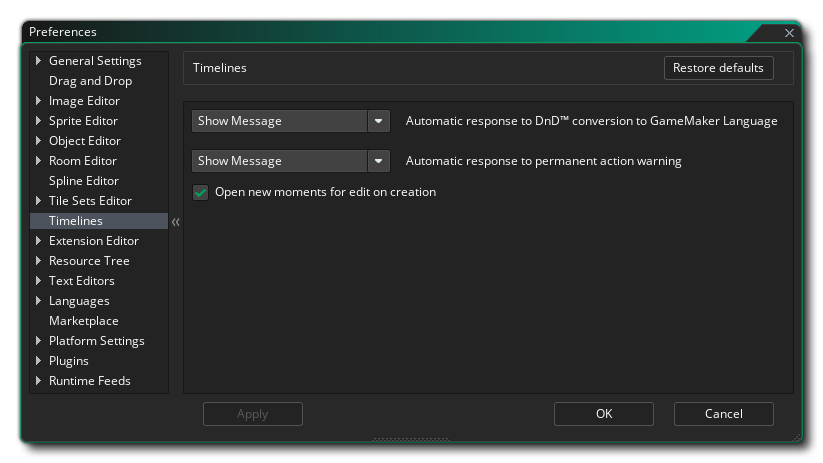
The Timelines Preferences are used to define certain properties for when you are working with the timeline editor. The options available are:
- Automatic response to DnD™ conversion to GameMaker
Language: When you use the right mouse button
 menu
option on a timeline moment to convert Drag and Drop actions into
script (code) you will get a prompt asking you if you wish to
continue, since this is a one way conversion. Changing this option
to "Okay" will suppress the message and go ahead with the
conversion as if you'd clicked "Okay" in the dialog. The default
setting is "Show Message".
menu
option on a timeline moment to convert Drag and Drop actions into
script (code) you will get a prompt asking you if you wish to
continue, since this is a one way conversion. Changing this option
to "Okay" will suppress the message and go ahead with the
conversion as if you'd clicked "Okay" in the dialog. The default
setting is "Show Message".
- Automatic response to permanent action warning: Certain
actions within a timeline cannot be undone, and when that happens
you will recieve a warning message asking you if you want to
continue. Changing this option to "Okay" will suppress the message
and go ahead with the action as if you'd clicked "Okay" in the
dialog. The default setting is "Show Message".
- Open new moments for edit on creation: Normally when you
add a new moment to a timeline, GameMaker Studio 2 will
automatically open the editor for you to add your code or Drag and
Drop to it. However if you un-check this option, the moment will be
added without opening the editor (you can open it by double
clicking
 on the moment). By default this
option is on.
on the moment). By default this
option is on.