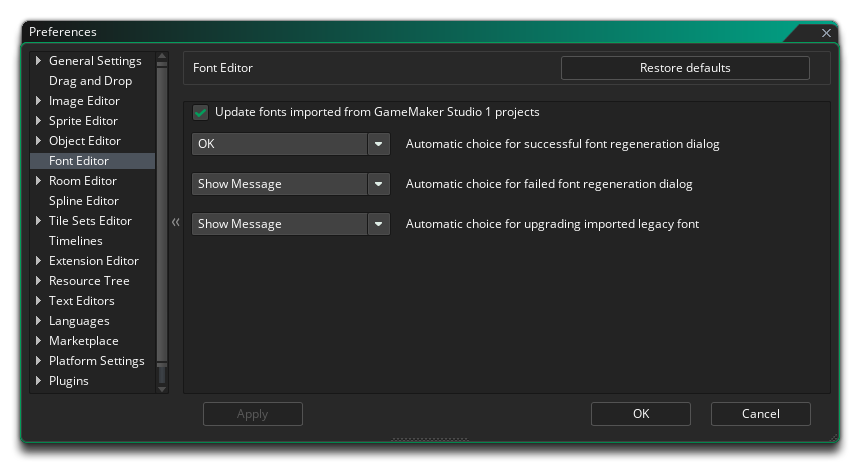
The Font Editor Preferences are used to define how the Font editor behaves. The different options available are listed below along with a description of what each one does.
- Update Fonts imported from GameMaker Studio 1 projects:
When this is checked, GameMaker Studio 2 will attempt to
update fonts and regenerate their texture. This will happen only
if:
- This preference is enabled
- The font is available on the machine
- GameMaker Studio 2 can locate a matching face in the font family (this is the most likely cause of inconsistency on import)
Note that it will also happen if the GameMaker Studio 1 font does not have a cached font texture. If a legacy font cannot be updated, then GameMaker Studio 2 will default to using the cached font texture, and the Font Editor will no longer permit you to edit the font, showing an option to backup and update to another:
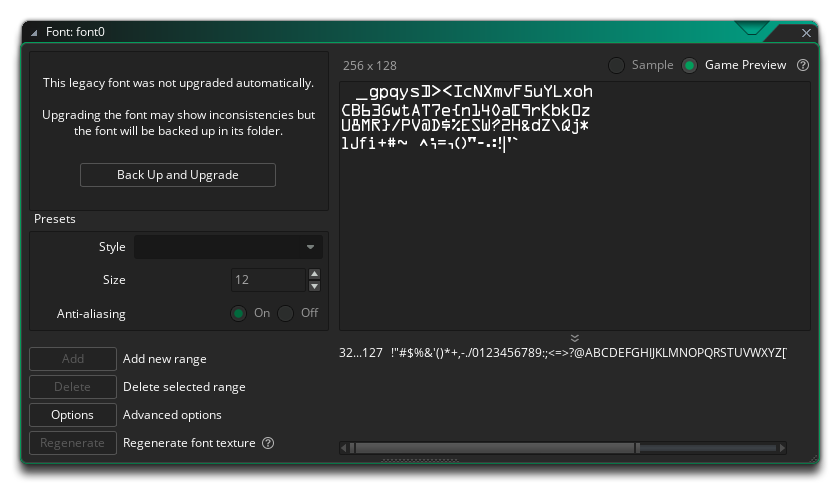
Clicking this will enable you to edit the font, either adding the missing font or setting another one, and the backed up font is stored in the font resource's folder, as <font name>.yy.gms1 and <font name>.png.gms1. To restore these files, manually delete the <font name>.yy files and replace them with these by removing the .gms1 extension from the filenames. Important! All resources store their names in the .yy file, so you must edit these and put the right name of the resource in the <name> field as well (if different).
- Automatic choice for failed content regeneration dialog:
When you go to regenerate a font resource texture, you are shown a
warning. Setting this option to "OK" will mean that the font is
regenerated without the warning being shown.
- Automatic choice for failed font regeneration dialog:
When regeneration of a font resource texture fails, you are shown a
warning. Setting this option to "OK" will skip showing the
message.
- Automatic choice for upgrading imported legacy fonts:
When you import a legacy project, you may get a warning about
legacy fonts and the offer to upgrade. Setting this option to "OK"
will okay the update automatically without showing this
message.